



Company, Trust and ID Verification Management Software
Empowering professionals with powerful automation and streamlined workflows.
Company, Trust and ID Verification Management Software
Empowering professionals with powerful automation and streamlined workflows.
Empowering Company Compliance Professionals
Take the hassle out of your company compliance work with the time-saving features in CAS 360!
Annual Reviews
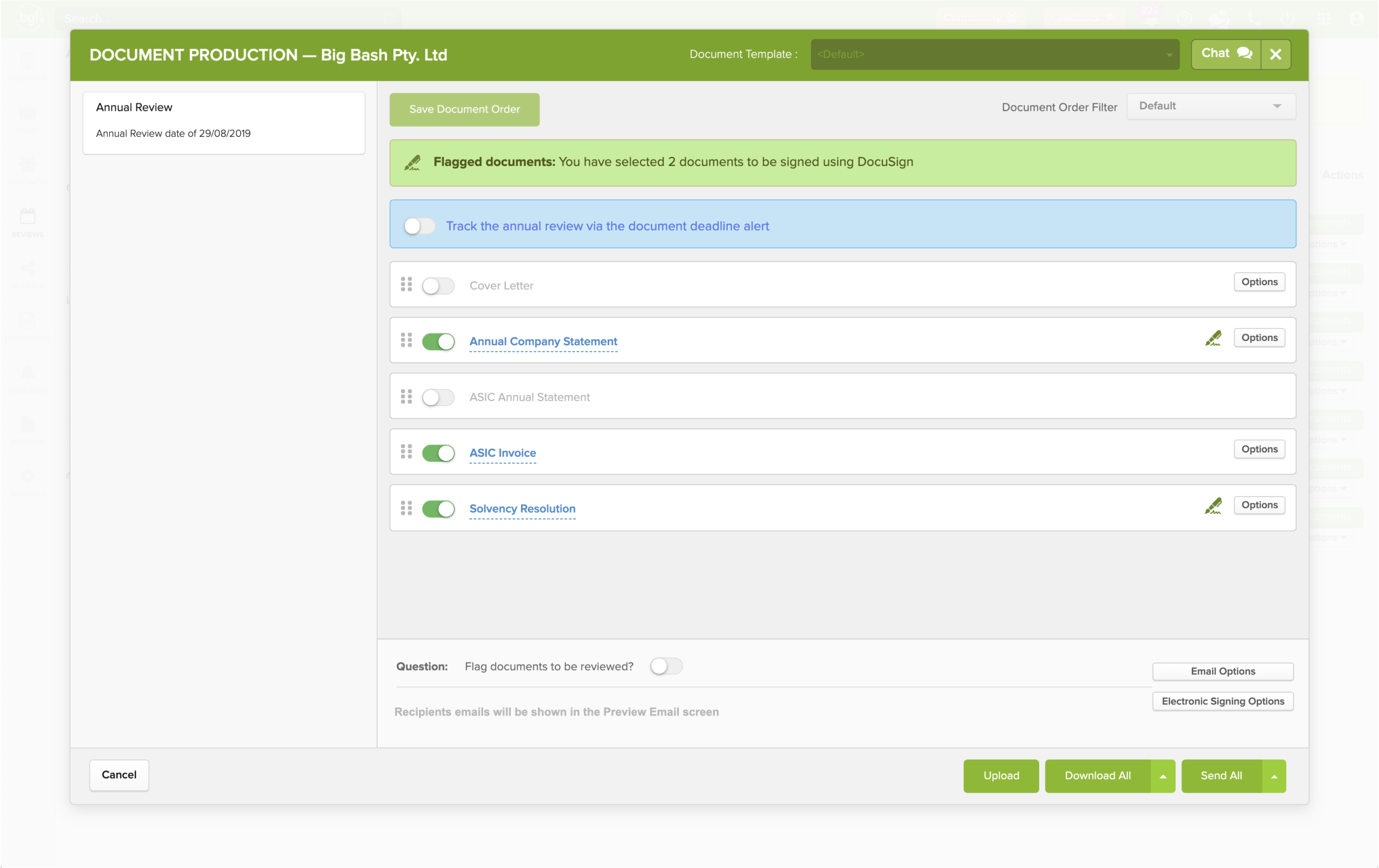
Enjoy a ‘hands-off’ approach to the ASIC Annual Review process with automated tracking, downloads, database comparison review and delivery of the annual statement pack to your clients.
Smart Alerts
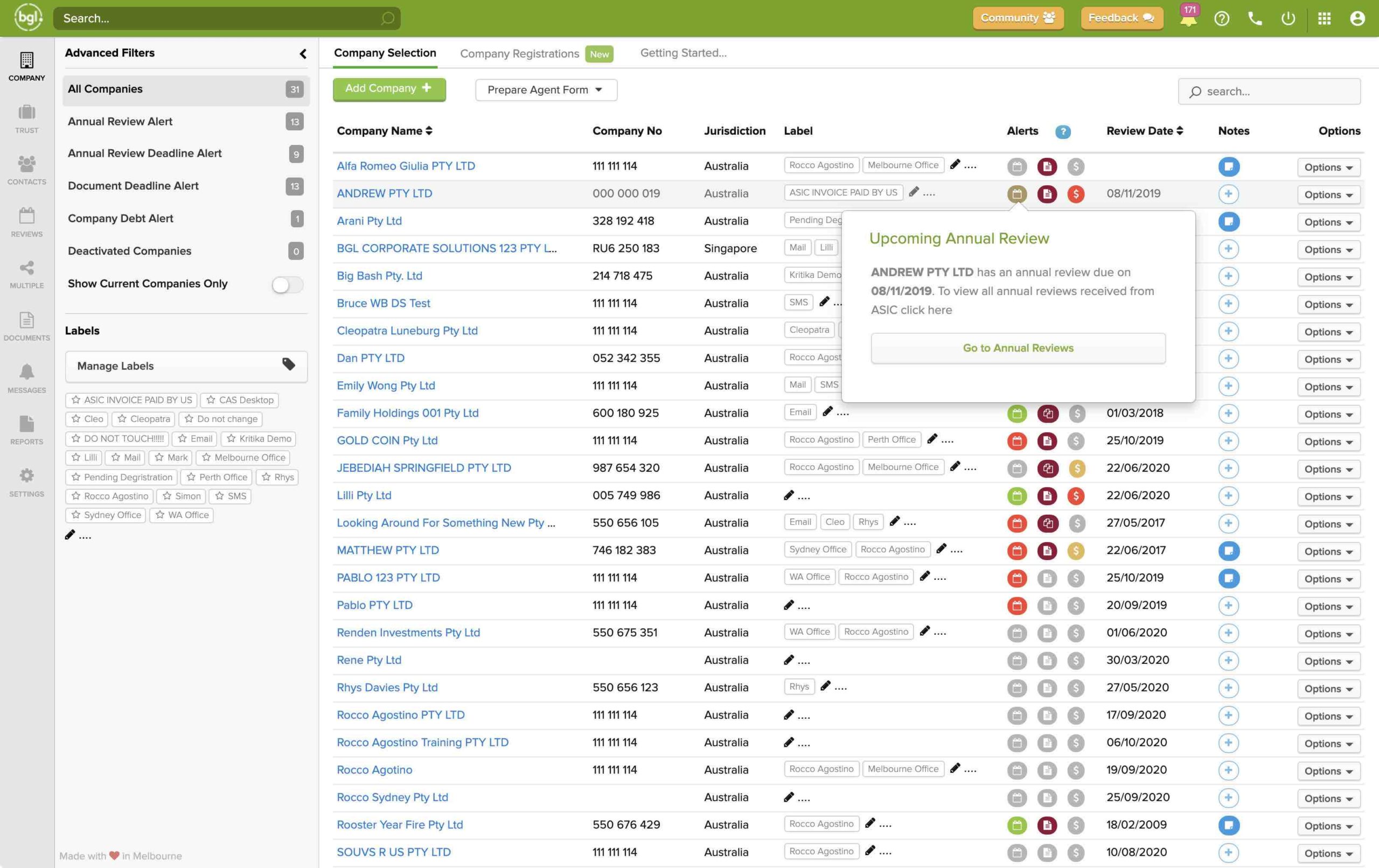
Manage Annual Review dates, document deadlines and company debt (including full ASIC debtor management) with our daily automated Smart Alerts
Automated Reminders
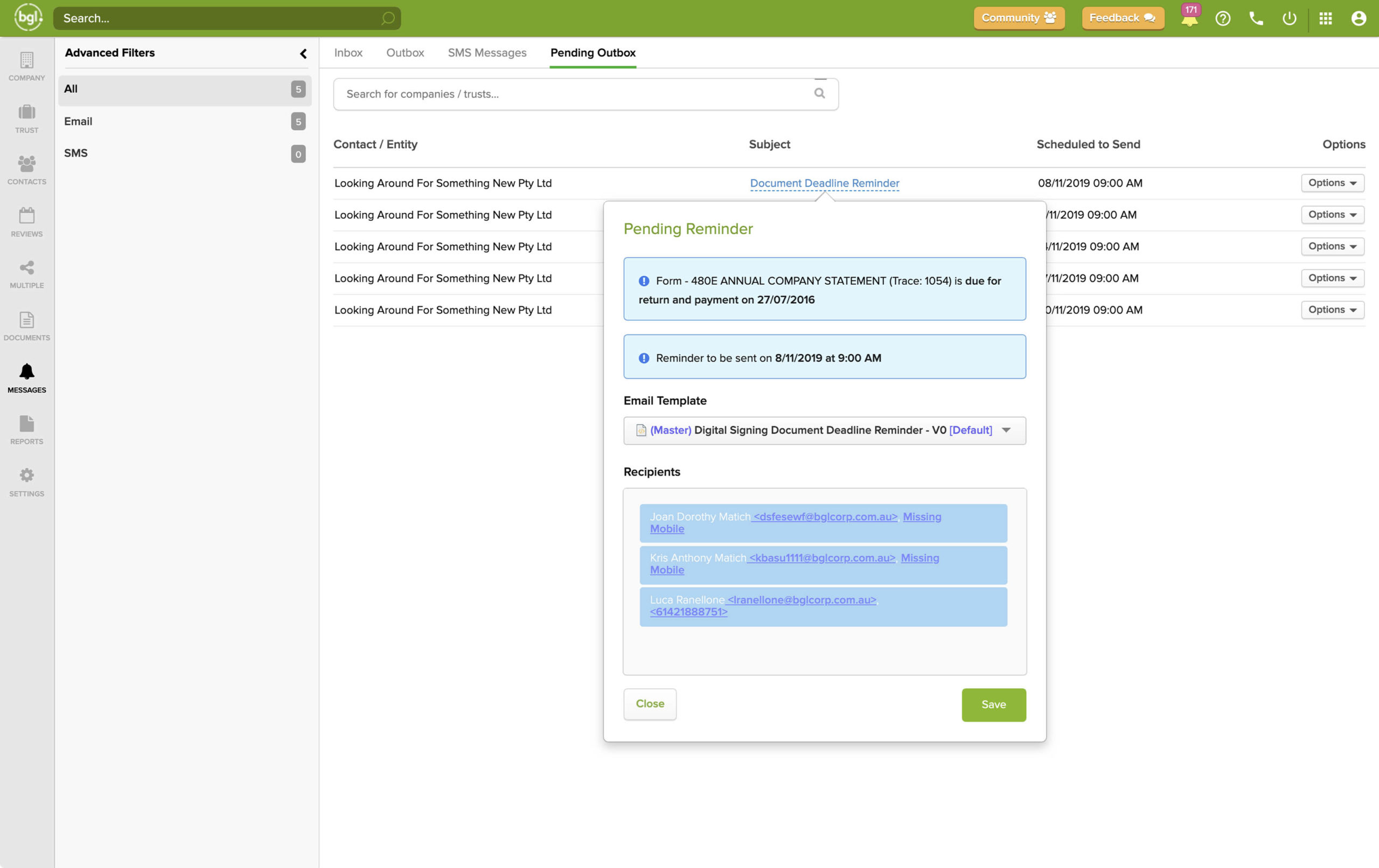
Send SMS and email reminders to clients for document deadlines and company debt. Track all sent/received messages plus delivery status in CAS 360.
Incorporations & Reservations
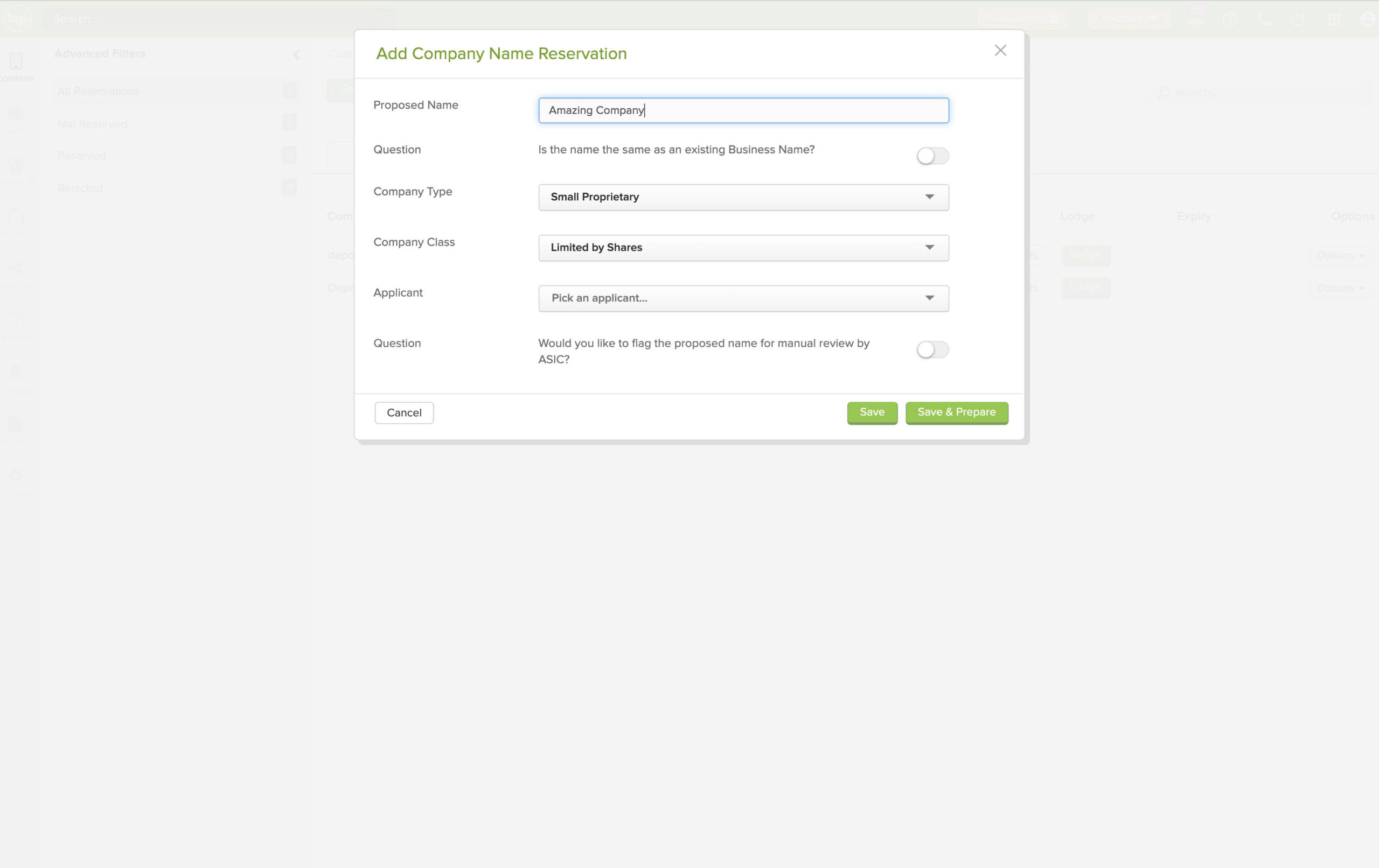
Save hours by registering companies with ASIC in CAS 360. Plus reserve company names with ASIC and track expiry dates and more in CAS 360!
Trust Management
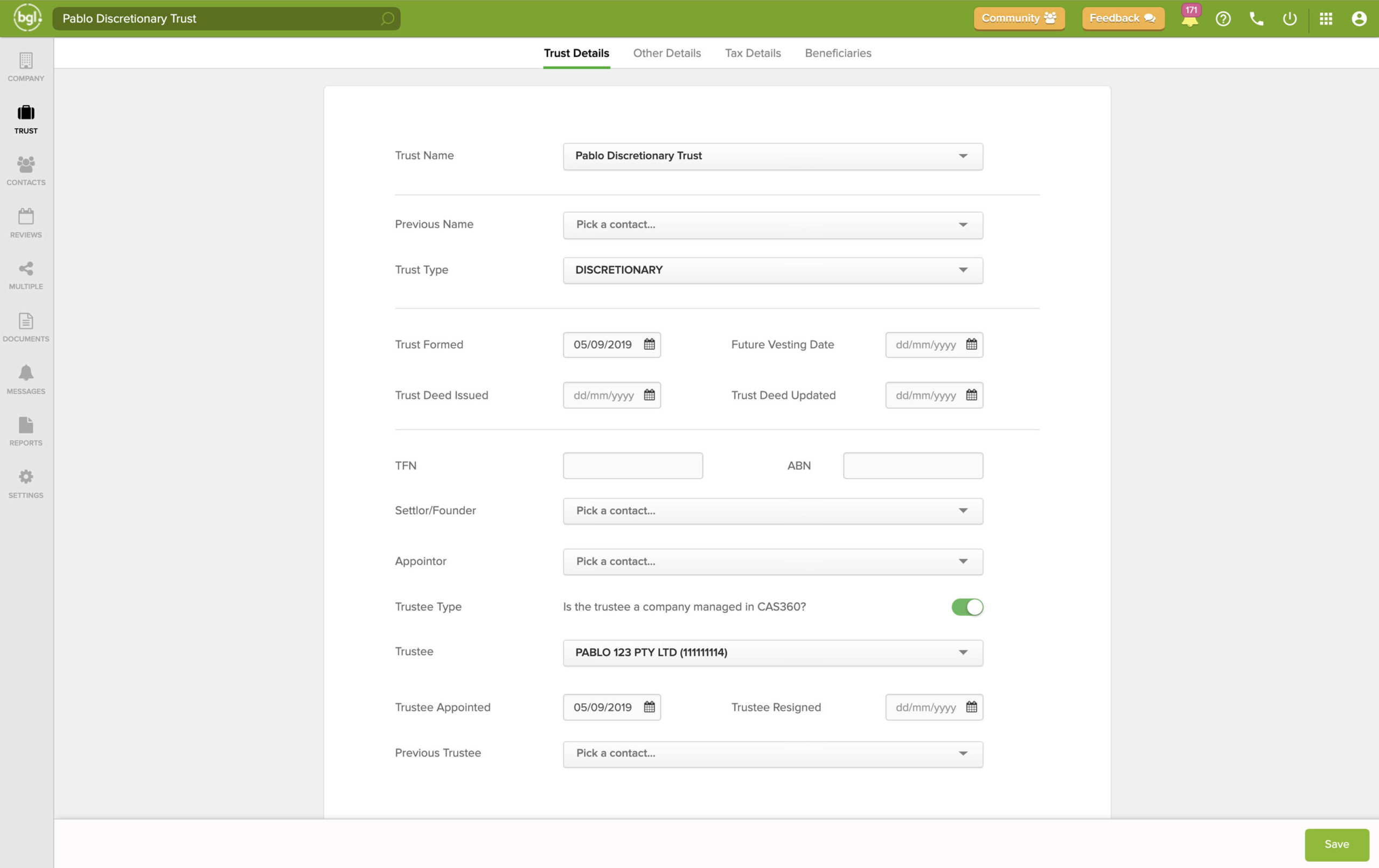
Full Trust management with support for distributions. Users have the ability to enter Trust information and create supporting documents.
Trust Distributions
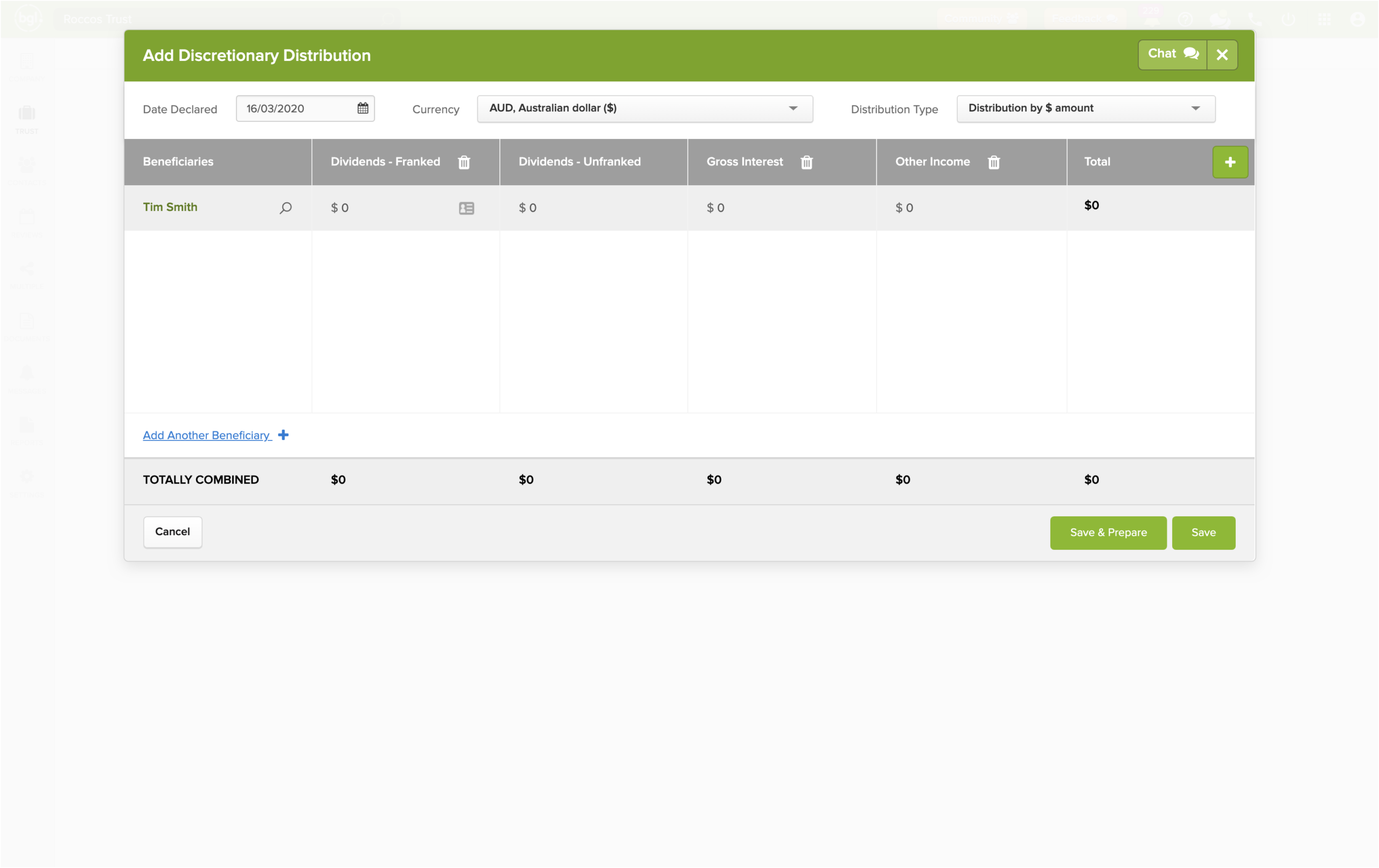
With all tax return components, CAS 360 will prepare all distribution, minutes, statements (including all components of the distribution) and reports.
Unlimited Customisation
Quickly and easily customise documents (in Word) and email templates (in plain text, rich text or HTML) with your firm’s logo and unique branding style.
World-Class Integration
CAS 360 integrates with industry leading practice management, company document and e-signature providers to ensure you have a seamless and efficient experience.
Document Management
Easily upload, lodge and edit documents or view a documents history. Quickly filter all documents for all companies from a global document screen in CAS 360.
BGLiD
A simple client identity verification solution seamlessly integrated with CAS 360!
- No setup required
- Instant results
- Unbeatable value
- Trusted app
Join over 3,800 clients managing over 1 million companies!
CAS 360 Pricing
$17excl. GST
Per company, per annum.
Initial minimum purchase of 25 companies.
Sold in lots of 5 companies thereafter.
Also available in a monthly subscription.
- Unlimited Users
- Unlimited Support
- Simple Migration
- On-Demand Training
- 30 day money back guarantee
"We've been using Simple Fund 360 for 10+ years. After hearing about the advances in CAS 360, I made the switch. It was super easy!"

"Seriously in love with CAS 360 Automated Annual Reviews. Why do firms still persist with the old way when there is CAS 360?!"

"CAS 360 is easy and efficient. It makes it easy to produce documents, lodge ASIC documents, process Annual Review and so on."

"I love CAS 360. It is easy to use and integrates nicely with other products. Plus, awesome customer service and a lot of training available."

"CAS 360 has made life a lot easier for us internally and more efficient for our clients by providing them with more up-to-date data."

Hear from people just like you! Check out our case studies
We partner with the best to deliver a superior experience.
For a full list of CAS 360 integrated partners, check out our BGL Ecosystem!








You may also be interested in…

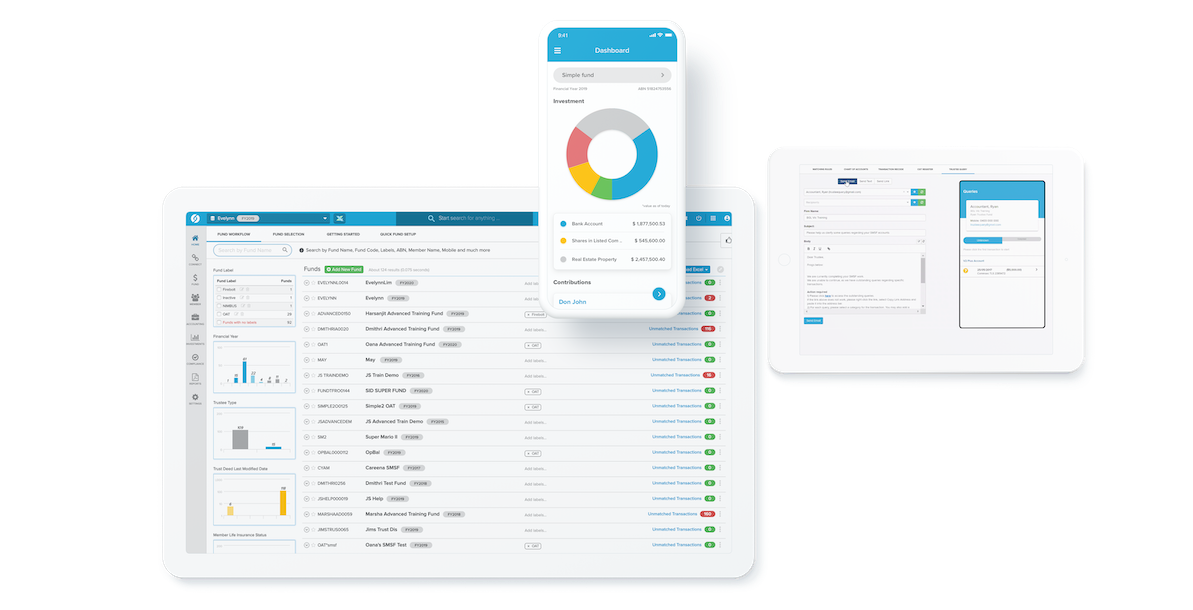
Intelligent, cloud-based SMSF software to streamline SMSF compliance management and administration. Simple Fund 360 fully integrates with CAS 360 to sync your client data and streamline your workflow!
Get in touch!
Complete the form below and a BGL Team member will be in touch with you soon!
