




Accounting, Investment and Tax Software
Empowering professionals to effortlessly manage investment portfolios and CGT record keeping for companies, trusts and individuals.
Accounting, Investment and Tax Software
Empowering professionals to effortlessly manage investment portfolios and CGT record keeping for companies, trusts and individuals.
Accounting. Investments. Financials. Tax – Made easy with Simple Invest 360
Developed with innovative, award-winning technology, Simple Invest 360 is a complete accounting, investment and tax software for managing trusts, companies and individuals. It keeps track of investments, distributes profits, provides a full set of financials, and makes trust and company tax return preparation and lodgment easy. Plus, Simple Invest 360 leverages BGL’s AI technology for smart categorisation and data capture!
Support For All Entities
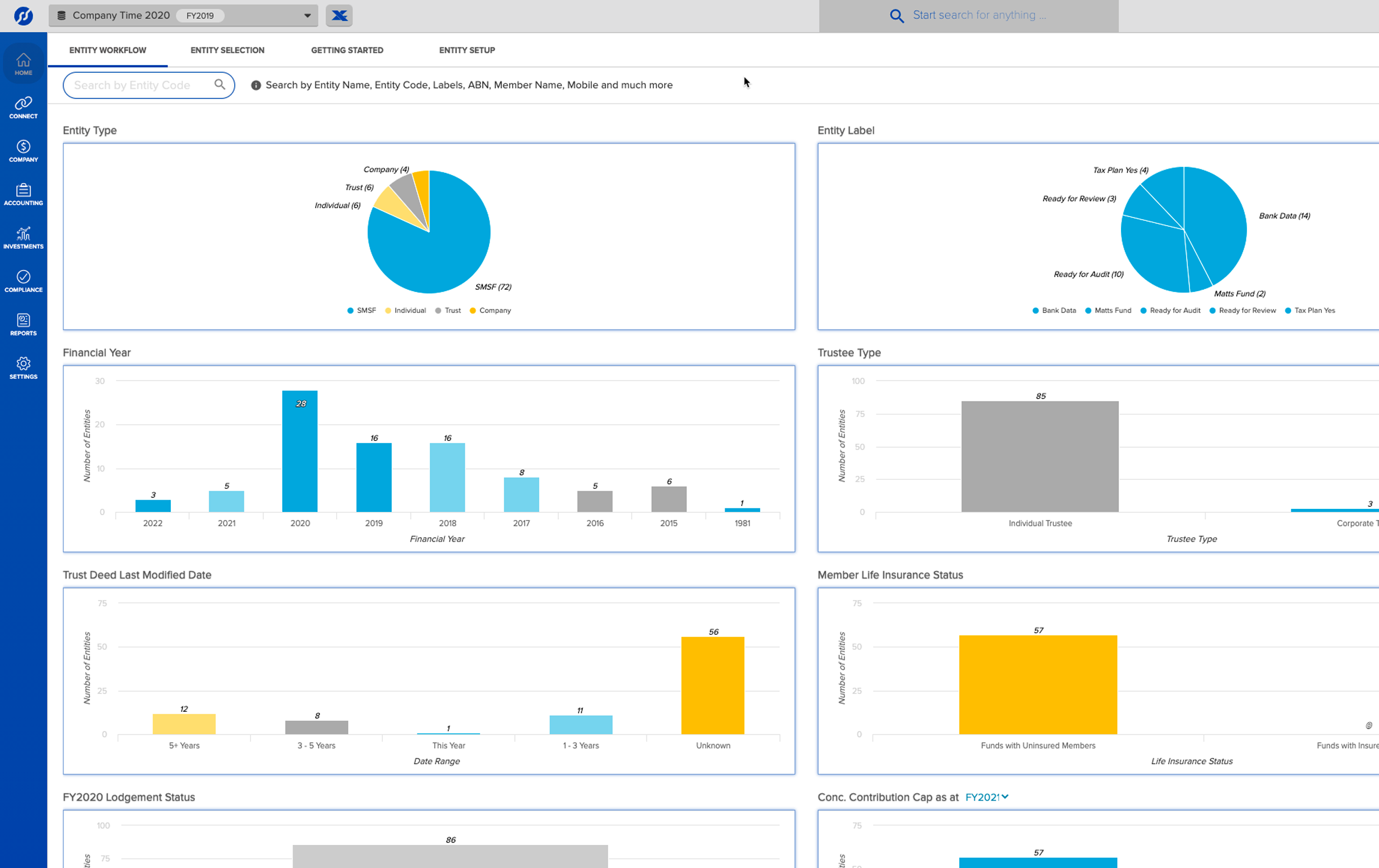
Simple Invest 360 supports SMSFs, trusts, companies and individuals, allowing users to view all entities in one easy-to-use platform with a unified set of financials and CGT records.
Trust Tax Returns
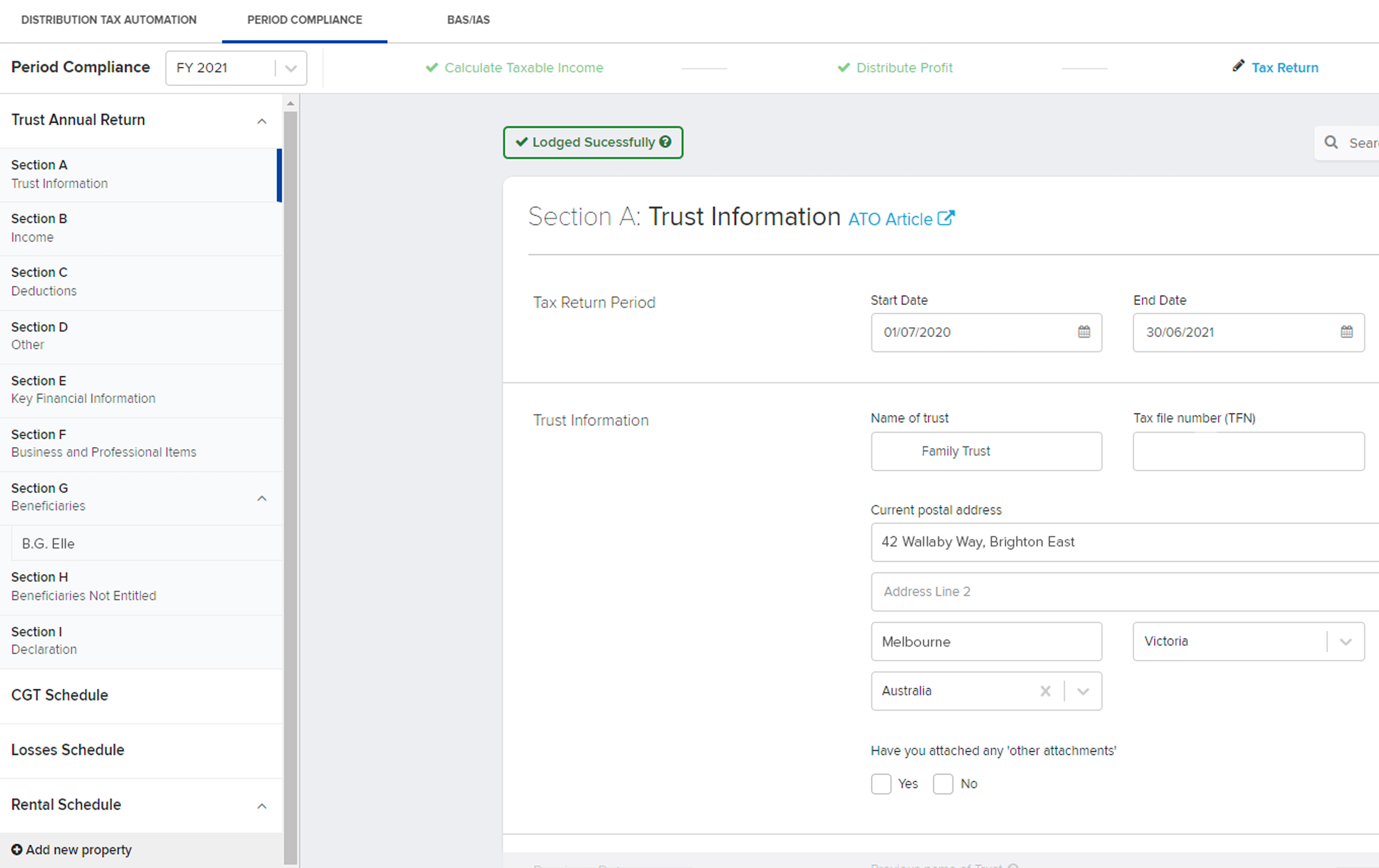
Simple Invest 360 supports electronic lodgment of the Trust Tax Return (populated from the Simple Invest 360 tax calculation engine) with associated schedules.
Double-Entry Accounting
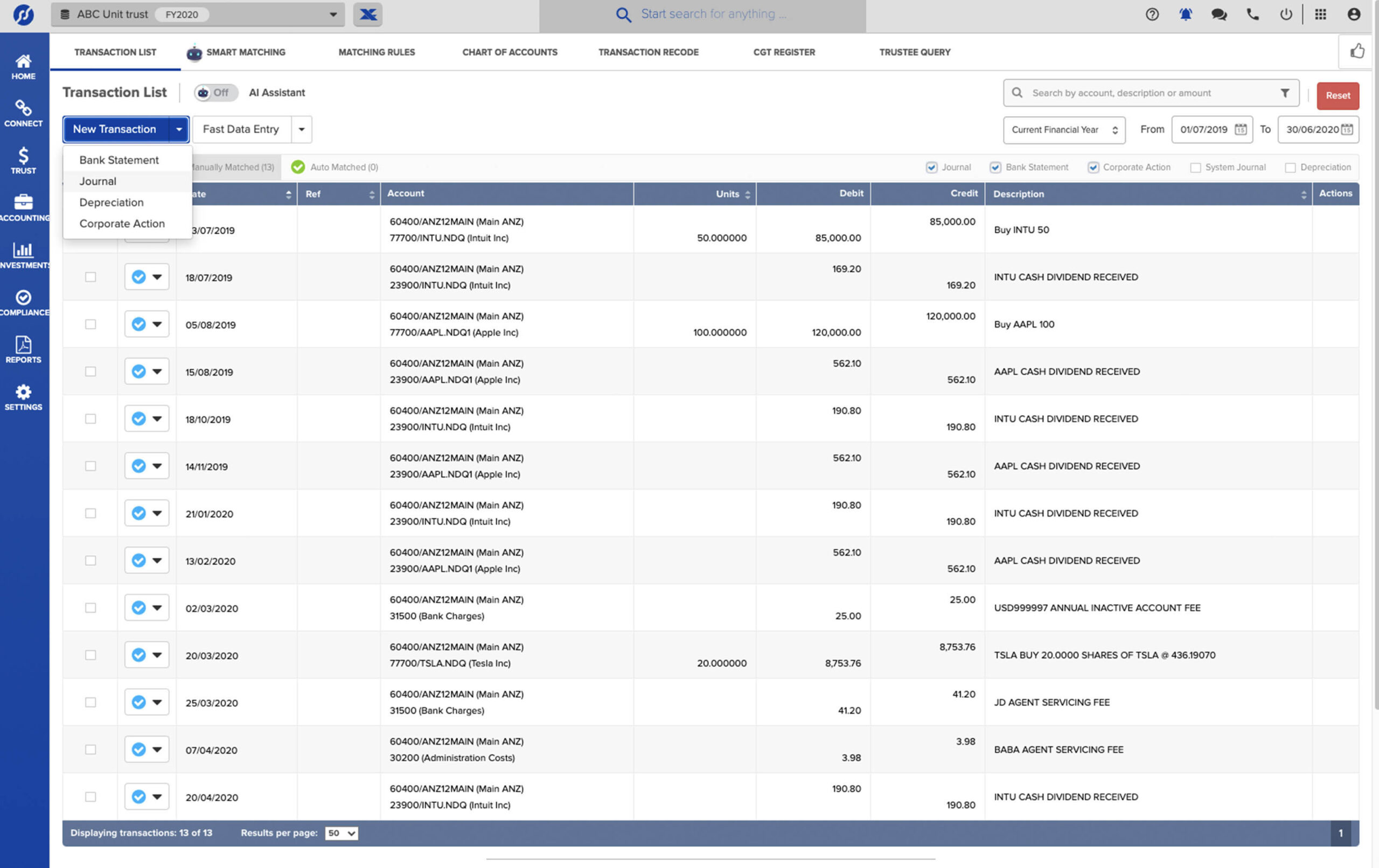
Simple Invest 360 boasts a robust double-entry general ledger solution with a fully integrated investment register and depreciable assets module.
Investment Accounting
Simple Invest 360 provides for automated Australian capital gains transactions, depreciation and GST recording, calculation and reporting.
Accounting Workpapers
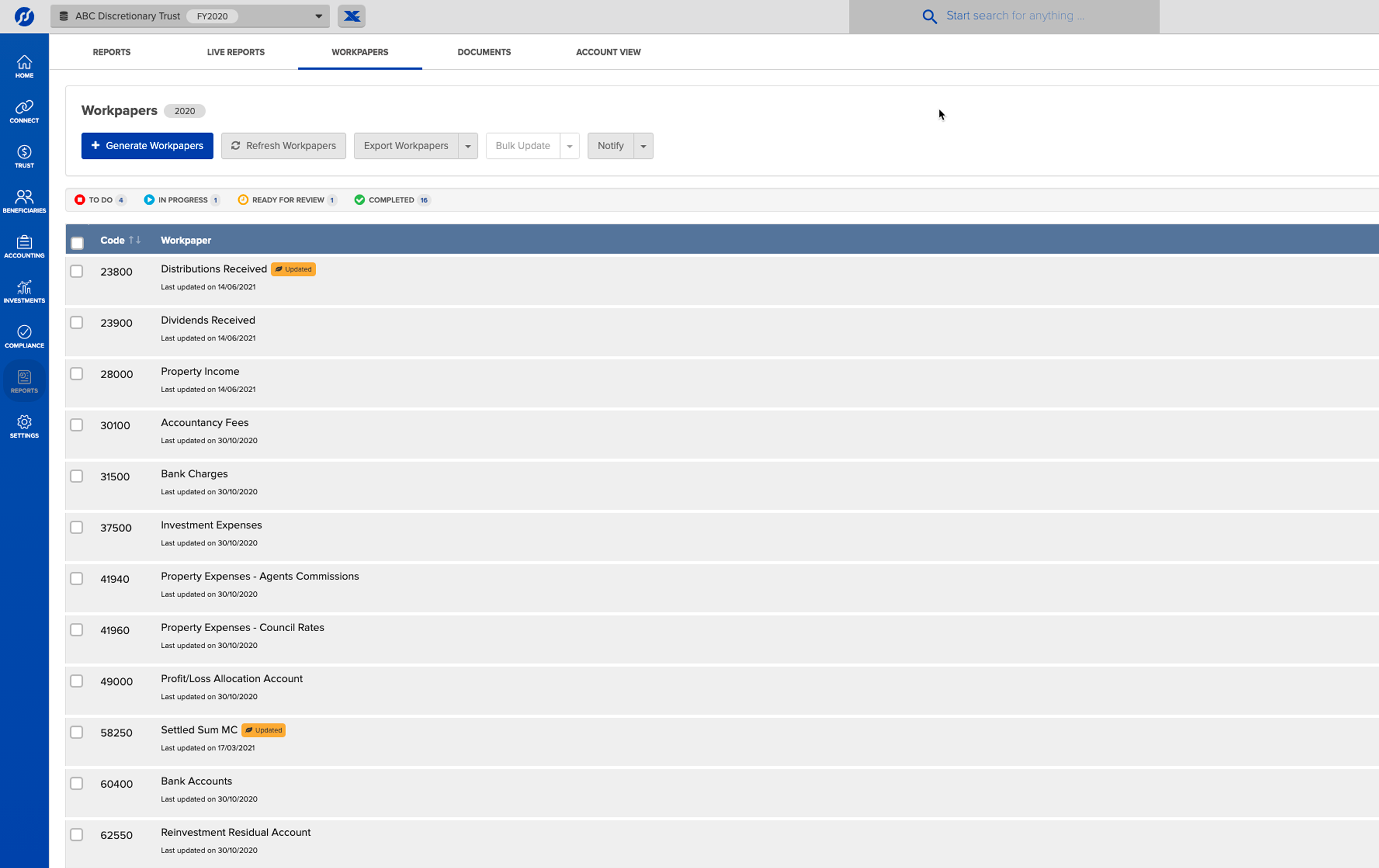
Simple Invest 360 automates accounting workpapers, allowing users to easily upload documents, track workflow and send entities for review. Simple Invest 360 also improves accuracy of CGT records with notifications of missed corporate actions and the most powerful HIN/SRN registry integration in the industry.
Corporate Actions
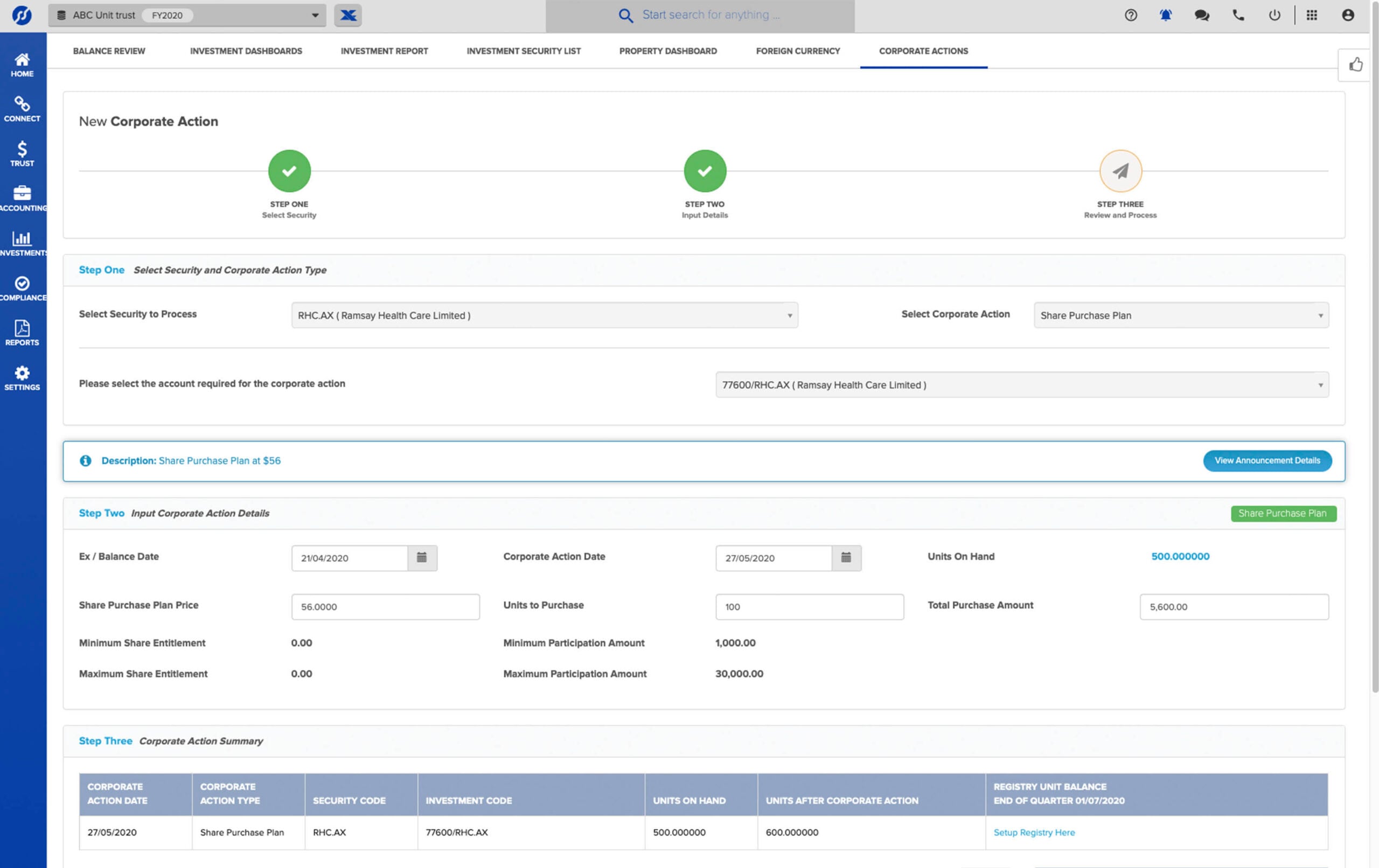
Simple Invest 360 automatically notifies users of ASX corporate actions throughout the financial year and the processing takes just a few mouse clicks!
Trust Compliance and Streaming
Control trust compliance with advanced streaming options for discretionary and testamentary trust for franked and CGT income.
Feeds and Ecosystems
Connect with 350+ industry-leading Ecosystem partners and data feeds including banks, brokers, registries, document providers and more!
Artificial Intelligence
Work smarter, faster and with more accuracy with AI-powered transaction matching and review technology.
Digital Signing
Streamline your trust declarations and minutes and have them digitally signed using Adobe Sign, DocuSign or FuseSign. Plus, easily export to Adobe PDF, MS Word and MS Excel.
BGL SmartDocs
Quickly turn your Investment paperwork into usable, digital data with our AI-powered document reader, BGL SmartDocs!
Full BGL Suite Integration
Share contact and address details between Simple Fund 360, Simple Invest 360, CAS 360 and Xero Practice Manager with the ability to import trusts and companies from CAS 360.
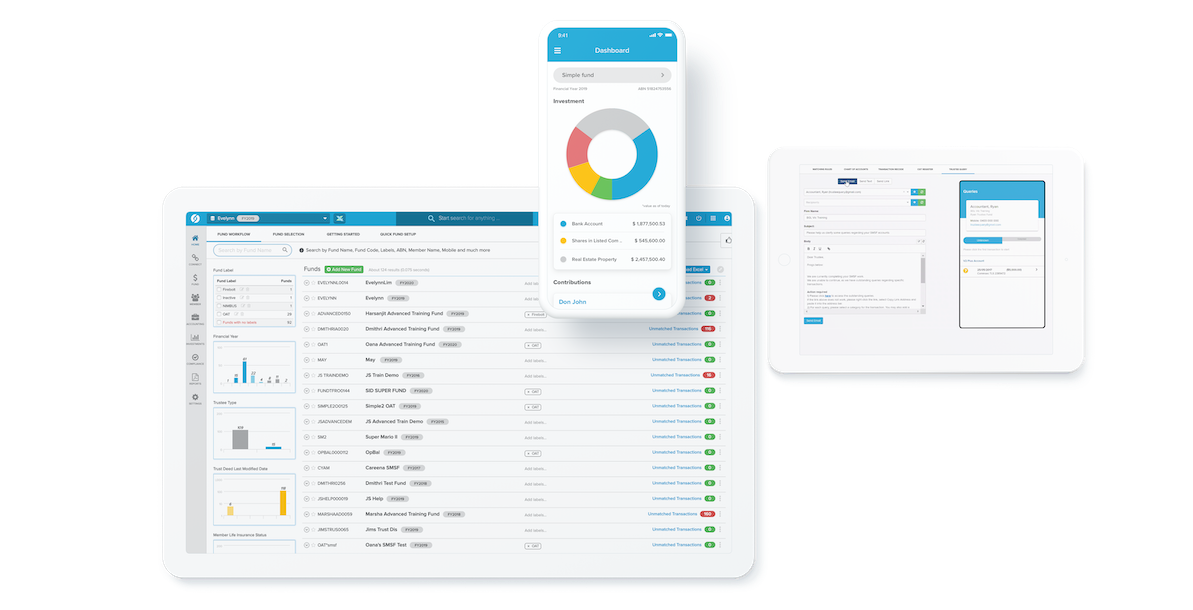
Engage by BGL
Engage by BGL is a next-generation mobile app to make your business stand out from the crowd by helping you to better engage with your clients!
Features available:
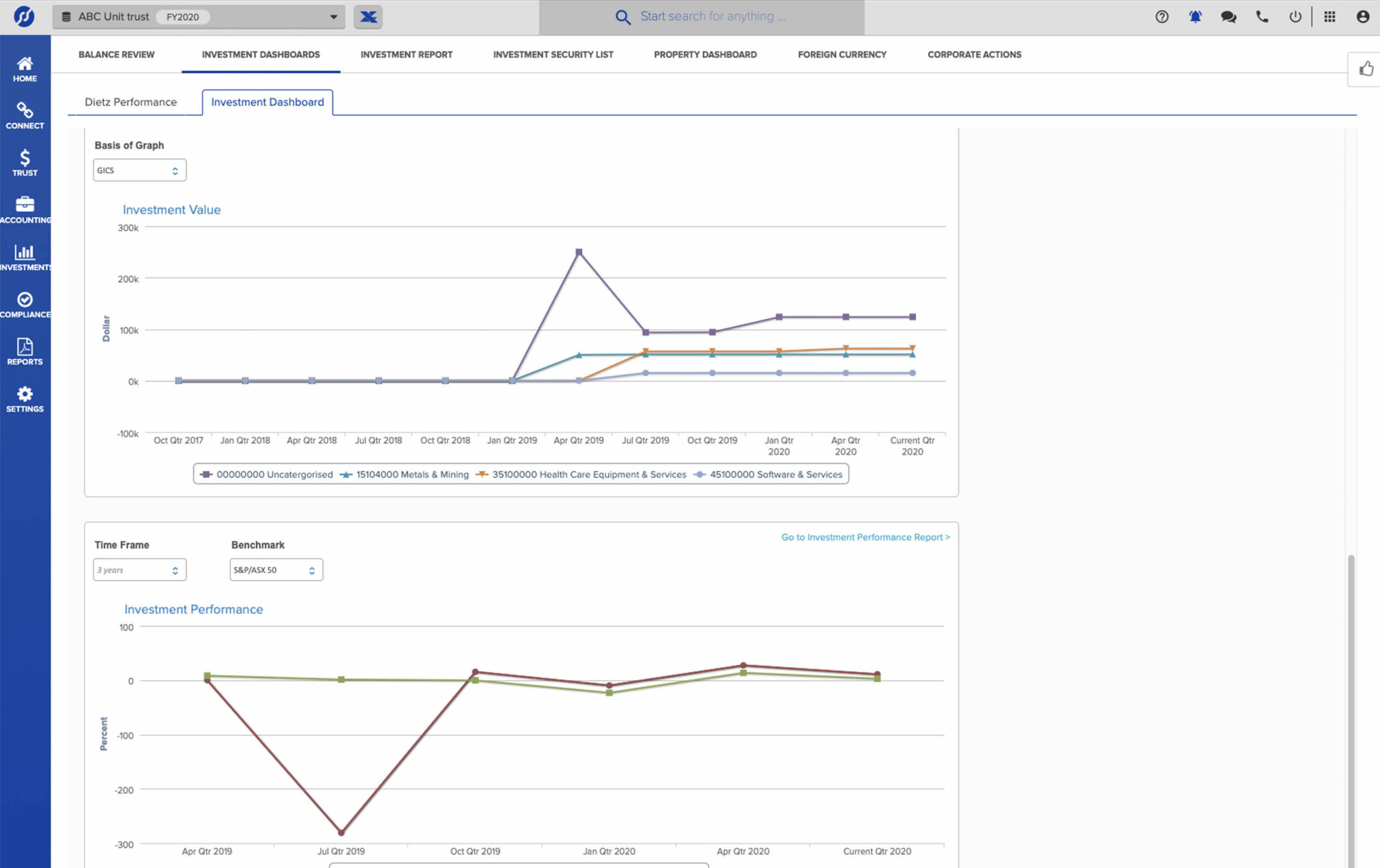
- Investment Dashboard
- Investment Detailed View
- Trustee Query for easy communication with clients


It is impossible not to save time with Simple Invest 360!
Professional Edition Pricing
$110exc. GST
Per entity, per annum.
Initial minimum purchase of 5 entities.
Sold in 1 entity increments thereafter.
Available as an annual or monthly subscription.
- Unlimited users
- Unlimited support (live chat & phone)
- ASX, managed funds and international daily prices
- Corporate action data
- Regular automatic software updates
- Free on-demand training
- 30-day money-back guarantee
Add-Ons
$45exc. GST
Per entity, per annum.
Initial minimum purchase of 5 entities.
Sold in 1 entity increments thereafter.
“The input of source information has many different options you can use. It is impossible not to save time with Simple Invest 360.”

“Simple Invest 360 is a ‘game-changer’ in terms of time-saving, cost efficiencies and overall administrative cohesion across both of our core divisions.”

“Easy to use cloud base software with smart transactions matching, great for keeping CGT records. "Live" portfolio reports and review function to keep you up to date with your current investments, projected CGT and tax planning.”

“Tax compliance (income tax and CGT) and performance reporting at a relatively cost effective price.”

“Makes it easy to track shares and dividends especially when clients may not supply all of the documentation you can reconstruct history. Quickly do CGT calcs and reports.”

Hear from people just like you! Check out our case studies
Want to know more? Check out the TOP 50 Simple Invest 360 features
Want to see Simple Invest 360 in action? Check out our YouTube Channel
*Bank Data allows you to fully automate the flow of data from all major banks directly into Simple Invest 360.
**The Share Data Pack allows you to receive quarterly holding balance confirmation from Boardroom, ComputerShare and Link Market Services as well as automatically processing of buy and sell transactions from 120+ Australian brokers.
Everything you need in one place.
Simple Invest 360 is an integrated solution, connecting you to BGL’s CAS 360, Simple Fund 360, major registries, digital signing and document providers. Plus, over 350 data feeds including ASX / unlisted unit trust data, bank data, broker contract note data, and wrap account data.
Check out our full BGL Ecosystem.
You may also be interested in…

Intelligent, cloud-based SMSF software to streamline SMSF compliance management and administration. Simple Fund 360 fully integrates with CAS 360 to sync your client data and streamline your workflow!
Get in touch!
Complete the form below and a BGL Team member will be in touch with you soon!
